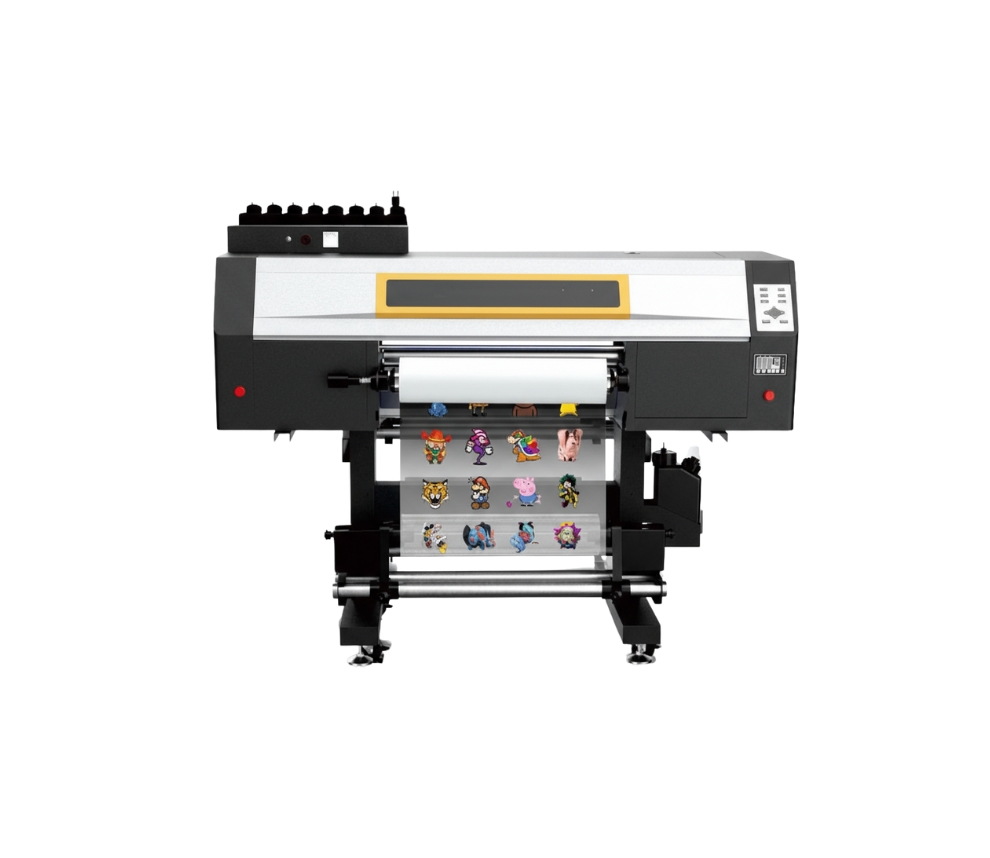
3 cabezales Epson I3200
DTF UV (60cm)
Descripción
Description
Maximum print width: 620 mm
Maximum speed: 10 m²/h
Compatible media: Film A (with adhesive) + B / Film A (without adhesive) + B
Number of printheads: 3 Epson I3200
Compatibility: Maintop, Photoprint, and others
Textile/Rigid Compatibility
Acrylic
PVC/Forex
Polycarbonate
MDF and varnished wood
Aluminum/Painted sheet metal
Glass (clean and degreased)
Rigid cardboard/Foam board
PS/PET/Rigid plastics in general
Maintenance
- Daily Power On and Circulation Even if you're not printing, turn it on every day to circulate the UV ink and prevent it from hardening inside the printhead.
- Cleaning the Wiper, Cap Station, and Surrounding Area Do this daily. UV ink is thicker and crusts up quickly, clogging the nozzles.
- Avoid Direct Light on the Ink UV inks are cured by light. Keep the cartridges and the plotter area away from sunlight or external UV lights.
- Nozzle Check 1–2 Times a Day UV ink tends to dry faster. You detect any cuts before they affect a job.
- Manual printhead cleaning (only when necessary) Do this with UV cleaning solution and a lint-free cloth. Never use alcohol.
- Proper ventilation of the work area UV inks emit fumes. A well-ventilated environment improves the life of the equipment and the health of the operator.
- Cooling system maintenance Check the water in the chiller or printhead cooling system. If the cooling fails, the printhead can be damaged in minutes.
Related Products
-
2 cabezales Epson I3200Maintenance
- Dust-Free Environment Keep the work environment dust-free to prevent it from affecting printing.
- Temperature and Humidity The machine should operate at a temperature of 25–30°C and a humidity of 40–60%.
- Platform Cleaning Keep the entire printer tidy and clean, removing dust from friction areas.
- Cleaning the Underside of the Printhead Move the carriage to the cleaning position, clean the underside of the printhead with a non-woven cloth dampened with cleaning fluid or distilled water, removing dirt from the printhead and surrounding areas.
Max width: 600mmSpeed: 9 m2/hMedia: Pet Film 620mmRequest a quote -
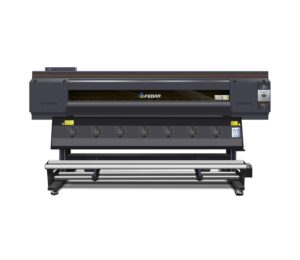
15 cabezales Epson I3200
- PRINTER 15 heads
- PRINTING SPEED 1 pass 610 m²/h
- PRINT WIDTH 1900 mm
- COMPATIBLE MEDIA Heat transfer paper
- COMPATIBILITY Win 7 (64 bit) / Win 10 (64 bit)
-
- Daily power-on (even if you don't print) Helps the inks circulate and prevents bubbles from forming or drying out in the heads.
- Automatic cleaning activated Let the equipment do its maintenance cycle. Do not interrupt it: it prolongs the life of the head.
- Keep the capping station, dampers, and wiper clean These consumables accumulate ink and lint. A weekly cleaning prevents stains and clogs.
- Control the ambient humidity Ideal: 45%–60%. Low humidity dries the ink; high humidity generates droplets on the paper.
- Check feed rollers and trays If they are dirty, they mark the paper or generate banding.
- Use the equipment at least 3–4 times per week Sublimation plotters need constant ink movement.
Max width: 1900mmSpeed: 610 m²/hMedia: Thermal Transfer PaperRequest a quote -
3 cabezales Epson I1600Maintenance
- Daily power-on and circulation Even if you don't print, turn it on every day so the UV ink circulates and to prevent it from hardening inside the printhead.
- Cleaning of the wiper, cap station, and surrounding areas Do this daily. UV ink is thicker and forms crusts quickly, which clogs the nozzles.
- Avoid direct light on the ink UV inks cure with light. Keep cartridges and the plotter area away from direct sunlight or external UV lights.
- Nozzle test 1–2 times per day UV ink tends to dry faster. This detects any clogs before they affect a job.
- Manual cleaning of the printhead (only when necessary) Do it with UV cleaning solution and a lint-free cloth. Never use alcohol.
- Adequate ventilation of the work area UV inks emit vapors. A ventilated environment improves equipment lifespan and operator health.
Max width: 320mmSpeed: 7 m2/hMedia: Film A (with adhesive) + BRequest a quote -
2 cabezales Epson I3200Maintenance
- Dust-Free Environment Keep the work environment dust-free to prevent it from affecting printing.
- Temperature and Humidity The machine should operate at a temperature of 25–30°C and a humidity of 40–60%.
- Platform Cleaning Keep the entire printer tidy and clean, removing dust from friction areas.
- Cleaning the Underside of the Printhead Move the carriage to the cleaning position, clean the underside of the printhead with a non-woven cloth dampened with cleaning fluid or distilled water, removing dirt from the printhead and surrounding areas.
Max width: 600mmSpeed: 20 m2/hMedia: Pet Film 620mmRequest a quote