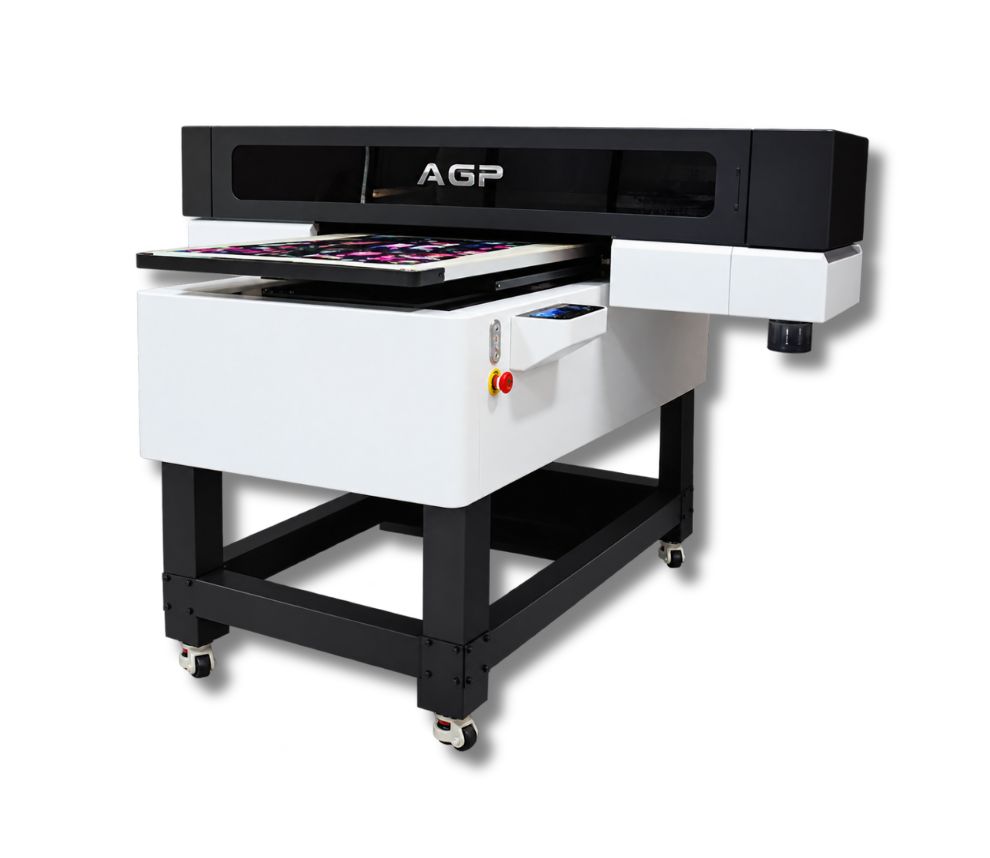
AGP UV-6090
Descripción
Description
UV flatbed printer with a maximum printing area of 600 × 900 mm, CMYK + White + Varnish configuration, and the ability to print on different rigid and flexible materials.
Maximum printing width: 600 mm
Maximum speed: 7.5 m²/h
Printheads: 3 × Epson I3200-U1
Compatible media: Glass, boards, different types of signage, crystal, PVC, acrylic, leather, plastic, among others.
Supported formats: TIFF, JPEG, PDF, EPS, PNG, AI and BMP.
RIP software: RIIN / Flexiprint / Maintop / NeoStampa
Maximum printing area: 600 × 900 mm
Maximum material thickness: 160 mm
Ink configuration: CMYK + W + V (White + Varnish)
Curing system: Air-cooled UV LED
Printing speed
Regular mode
720 × 1800 DPI – 6 PASS: 7.5 m²/h
720 × 2400 DPI – 8 PASS: 5.4 m²/h
720 × 3600 DPI – 12 PASS: 3.7 m²/h
Cylindrical printing mode
720 × 1800 DPI – 6 PASS: 5.39 min.
720 × 1800 DPI – 6 PASS: 8.31 min.
Specified diameter: 85 mm.
- IN-HOUSE DEVELOPMENT. LONG SERVICE LIFE. HIGH PRECISION. LOW COST
-
OPTIONAL CYLINDRICAL PRINTING
Allows printing on cylindrical objects from 20 to 140 mm in diameter, with a maximum width of 590 mm. -
UV LED CURING
Air-cooled UV LED system. -
CCD VISUAL POSITIONING
Optional CCD visual positioning system for the equipment. -
AUTOMATIC HEIGHT MEASUREMENT
Infrared automatic height measurement system.
- Model: UV-6090
- Type: UV Flatbed Printer
- Printheads: 3 × Epson I3200-U1
- Maximum printing area: 600 × 900 mm
- Maximum material thickness: 160 mm
- Inks: CMYK + W + V
- Curing: Air-cooled UV LED
- RIP: RIIN / Flexiprint / Maintop / NeoStampa
- Voltage: 220 V – 50/60 Hz
- Power: 400 W
- Operating temperature: 18 °C to 28 °C
- Operating humidity: 40% to 60%
- Machine dimensions: 1700 × 1545 × 1315 mm
- Machine weight: 288 kg
- Packaging dimensions: 1920 × 1660 × 1020 mm
- Shipping weight: 391 kg
- Processor: Intel Core i5-13500H or higher
- Memory: 16 GB
- Graphics card: dedicated graphics card
- Storage: 1 TB SSD
- Operating system: 64-bit Windows 10 or Windows 11
- Network: Gigabit RJ45 network card with Intel chipset + “Jumbo Packet-9014” mode for CCD camera connection.
Related Products
-
2 Epson I3200 printheadsMaintenance
- Dust-Free Environment Keep the work environment dust-free to prevent it from affecting printing.
- Temperature and Humidity The machine should operate at a temperature of 25–30°C and a humidity of 40–60%.
- Platform Cleaning Keep the entire printer tidy and clean, removing dust from friction areas.
- Cleaning the Underside of the Printhead Move the carriage to the cleaning position, clean the underside of the printhead with a non-woven cloth dampened with cleaning fluid or distilled water, removing dirt from the printhead and surrounding areas.
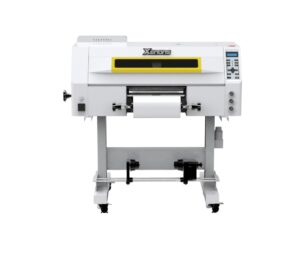
Max width: 600mmSpeed: 20 m2/hMedia: Pet Film 620mmRequest a quote -
3 Epson I1600 printheadsMaintenance
- Daily power-on and circulation Even if you don't print, turn it on every day so the UV ink circulates and to prevent it from hardening inside the printhead.
- Cleaning of the wiper, cap station, and surrounding areas Do this daily. UV ink is thicker and forms crusts quickly, which clogs the nozzles.
- Avoid direct light on the ink UV inks cure with light. Keep cartridges and the plotter area away from direct sunlight or external UV lights.
- Nozzle test 1–2 times per day UV ink tends to dry faster. This detects any clogs before they affect a job.
- Manual cleaning of the printhead (only when necessary) Do it with UV cleaning solution and a lint-free cloth. Never use alcohol.
- Adequate ventilation of the work area UV inks emit vapors. A ventilated environment improves equipment lifespan and operator health.
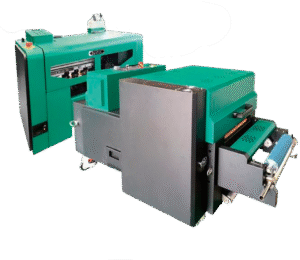
Max width: 300mmSpeed: 7 m2/hMedia: Film A (with adhesive) + BRequest a quote -
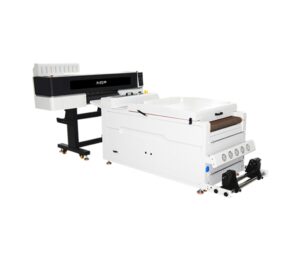
2 Epson I3200 printheadsMaintenance
- Dust-Free Environment Keep the work environment dust-free to prevent it from affecting printing.
- Temperature and Humidity The machine should operate at a temperature of 25–30°C and a humidity of 40–60%.
- Platform Cleaning Keep the entire printer tidy and clean, removing dust from friction areas.
- Cleaning the Underside of the Printhead Move the carriage to the cleaning position, clean the underside of the printhead with a non-woven cloth dampened with cleaning fluid or distilled water, removing dirt from the printhead and surrounding areas.
Max width: 600mmSpeed: 9 m2/hMedia: Pet Film 620mmRequest a quote -
2 Epson I1600 printheadsMaintenance
- Dust-free environment Keep the working environment dust-free to prevent it from affecting printing.
- Temperature and humidity The machine should operate at a temperature of 25–30°C and with a humidity of 40–60%.
- Platform cleaning Keep the entire printer tidy and clean, removing dust from friction areas.
- Cleaning the bottom of the printhead Move the carriage to the cleaning position, wipe the bottom of the printhead with a non woven cloth dampened with cleaning fluid or distilled water, removing dirt from the printhead and nearby areas.
Max width: 300mmSpeed: 7.1 m2/hMedia: Pet Film 320mmRequest a quote