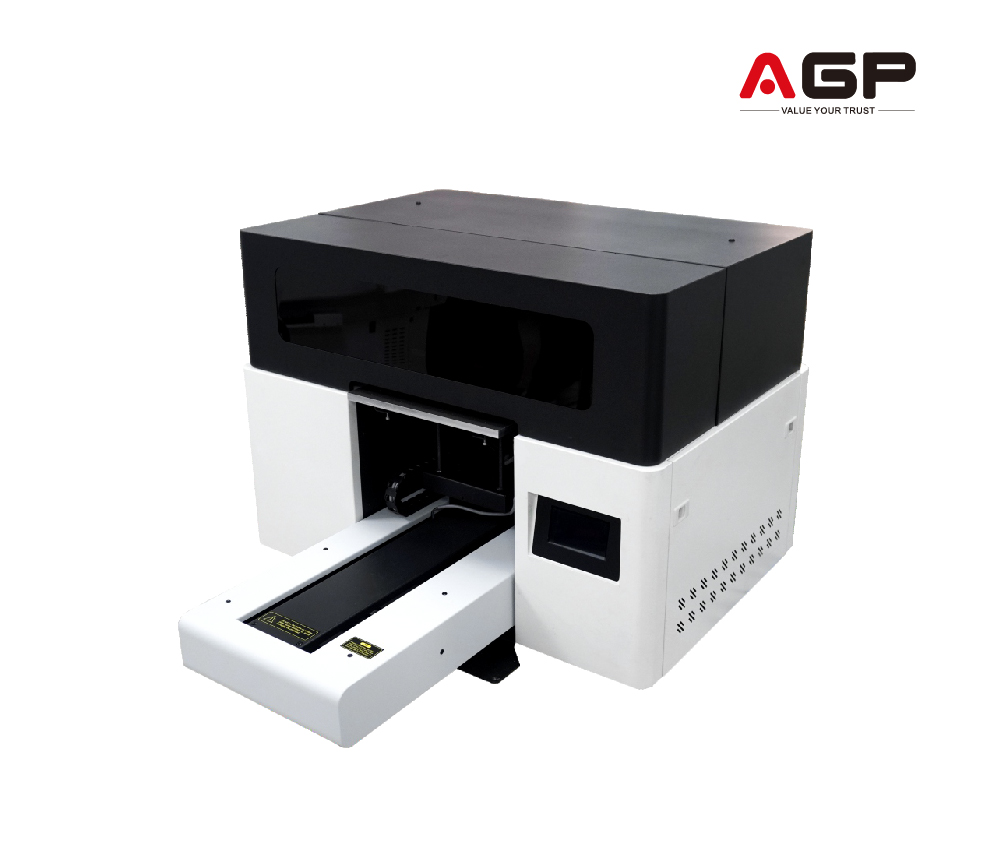
Plotter UV 3040
Descripción
Description
Printhead: Epson 13200-U1 HD Printhead
Number of Printheads: 1
Printing Speed: 0.28 m²/h ~ 3 m²/h
Print Width:
Platform: 297 x 420 mm Drum: 230 x 420 mm
Media Thickness: 1 mm ~ 90 mm
Ink Type: Environmentally Friendly UV Curing Ink
Color Configuration: Standard: CMYK+W+V Optional: YMCK LC LM+W
RIP Software: Maintop/Flexiprint/RIIN
Printing Media: Glass, plates, various signs, crystal, PVC, acrylic, plastic leather, etc.
Photo Format: TIFF, JPEG, PDF, EPS, PNG, AI, BMP, etc.
Computer Configuration: Windows 10/64-bit System
Transmission Interface: Gigabit Ethernet port, 500GB hard drive or larger
Voltage/Rated Power: 220V 50Hz/60Hz 500W
Operating Environment: Temperature: 18°C~28°C, Humidity: 40%~60%
Machine Size/Weight: 1020*830*615mm, 114kg
Packaging Size/Weight: 1130*910*760mm, 124kg
Textile/Rigid Compatibility
Acrylic
PVC/Forex
Polycarbonate
MDF and varnished wood
Aluminum/Painted sheet metal
Glass (clean and degreased)
Rigid cardboard/Foam board
PS/PET/Rigid plastics in general
-
SPEED
0.28 m²/h - 3 m²/h -
MEDIA
Glass, plates, various signs, crystal...
- Daily Power On and Circulation Even if you're not printing, turn it on every day to circulate the UV ink and prevent it from hardening inside the printhead.
- Cleaning the Wiper, Cap Station, and Surrounding Area Do this daily. UV ink is thicker and crusts up quickly, clogging the nozzles.
- Avoid Direct Light on the Ink UV inks are cured by light. Keep the cartridges and the plotter area away from sunlight or external UV lights.
- Nozzle Check 1–2 Times a Day UV ink tends to dry faster. You detect any cuts before they affect a job.
- Manual printhead cleaning (only when necessary) Do this with UV cleaning solution and a lint-free cloth. Never use alcohol.
- Proper ventilation of the work area UV inks emit fumes. A well-ventilated environment improves the life of the equipment and the health of the operator.
Related Products
-
2 cabezales Epson I1600Maintenance
- Dust-free environment Keep the working environment dust-free to prevent it from affecting printing.
- Temperature and humidity The machine should operate at a temperature of 25–30°C and with a humidity of 40–60%.
- Platform cleaning Keep the entire printer tidy and clean, removing dust from friction areas.
- Cleaning the bottom of the printhead Move the carriage to the cleaning position, wipe the bottom of the printhead with a non woven cloth dampened with cleaning fluid or distilled water, removing dirt from the printhead and nearby areas.
Max width: 300mmSpeed: 7.1 m2/hMedia: Pet Film 320mmRequest a quote -
4 cabezales Epson I3200Maintenance
- Dust-Free Environment Keep the work environment dust-free to prevent it from affecting printing.
- Temperature and Humidity The machine should operate at a temperature of 25–30°C and a humidity of 40–60%.
- Platform Cleaning Keep the entire printer tidy and clean, removing dust from friction areas.
- Cleaning the Underside of the Printhead Move the carriage to the cleaning position, clean the underside of the printhead with a non-woven cloth dampened with cleaning fluid or distilled water, removing dirt from the printhead and surrounding areas.
Max width: 600mmSpeed: 23 m2/hMedia: Pet Film 620mmRequest a quote -
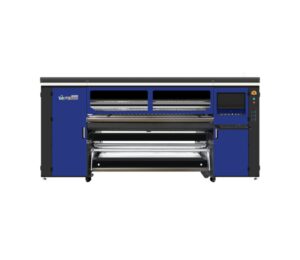
4 cabezales Epson I3200
- HIGH-RESOLUTION PRINT HEAD 4 Epson I3200-A1 print heads, 2-pass speed can reach up to 150㎡/h.
- HIGH-END SOFTWARE Using international high-end software, the drawing is more realistic.
- INTELLIGENT LACK OF INK ALARM Reduces the tediousness of frequently checking the remaining ink quantity, and at the same time, reminds you to add ink in time to ensure the continuity of the printing job.
- USE OF ADVANCED CAPPING STATION Equipped with an advanced intelligent print head cleaning and moisturizing device, which provides safe and convenient maintenance and cleaning functions, with simpler operation and upkeep.
- INTELLIGENT MIST PRINTING AND VSDT PRINTING The unique intelligent two-dimensional mist and wave-mist function, along with VSDT variable droplet technology, significantly improves the printing quality.
- STABLE MEDIA FEEDING AND TAKE-UP SYSTEM Convenient and fast, printing media is quickly stored, equipped with automatic paper measurement and anti-rubbing function; if consumables are deformed, the printing automatically stops to prevent scratching the print head.
- SPECIALLY DESIGNED CARRIAGE The position of the print head can be adjusted according to different printing media and anti-collision devices on both ends to give the print head more comprehensive safety protection.
- LEADSHINE CHINESE MOTOR The Leadshine two-way brushless motor has higher precision, smaller length error, and more stable performance.
- LARGE CAPACITY INK TANKS Four units of 3L large-capacity ink tanks provide ink independently and continuously, ensuring the long-term continuity of ink output.
- INTELLIGENT HOT AIR DRYER The intelligent drying system synchronizes with the printing, saving energy and reducing emissions. During the printing process, the temperature can be adjusted in real-time according to the situation.
- THK SILENCE GUIDE RAIL Uses the Japanese THK silent linear guide rail, which provides more stable movement and a longer service life.
- IGUS INK CHAIN FROM GERMANY High-quality IGUS ink chain imported from Germany, ensuring the good completion of the printing work.
- FLUORINATED RUBBER PINCH ROLLER The US fluorinated rubber pinch roller prevents static electricity from flying ink, prints more accurately, and reduces wrinkles.
- TWO-LEVEL INK SUPPLY SYSTEM Adopts a two-level ink supply system, with continuous printing for a long time to ensure the image output quality.
- COMPATIBILITY Win 7 / Win 8 / Win 10.
- Daily power-on (even if you don't print) Helps the inks circulate and prevents bubbles from forming or drying out in the heads.
- Automatic cleaning activated Let the equipment do its maintenance cycle. Do not interrupt it: it prolongs the life of the head.
- Keep the capping station, dampers, and wiper clean These consumables accumulate ink and lint. A weekly cleaning prevents stains and clogs.
- Control the ambient humidity Ideal: 45%–60%. Low humidity dries the ink; high humidity generates droplets on the paper.
- Check feed rollers and trays If they are dirty, they mark the paper or generate banding.
- Use the equipment at least 3–4 times per week Sublimation plotters need constant ink movement.
Max width: 1900mmSpeed: 150m2/hMedia: Transfer paperRequest a quote -
2 cabezales Epson I3200Maintenance
- Dust-Free Environment Keep the work environment dust-free to prevent it from affecting printing.
- Temperature and Humidity The machine should operate at a temperature of 25–30°C and a humidity of 40–60%.
- Platform Cleaning Keep the entire printer tidy and clean, removing dust from friction areas.
- Cleaning the Underside of the Printhead Move the carriage to the cleaning position, clean the underside of the printhead with a non-woven cloth dampened with cleaning fluid or distilled water, removing dirt from the printhead and surrounding areas.
Max width: 600mmSpeed: 9 m2/hMedia: Pet Film 620mmRequest a quote